Action
Read documents into a table
A pile of forms, invoices or receipts, as one table.
Open in ScrubAbout Read documents into a table
From your code: POST /v1/tools/read_fields, in the API reference.
What it makes. A table from a pile of documents: one row for each item found, with the columns you ask for, or columns chosen from what is printed on them.
What you give it. Photos, scans or PDFs, as many as you have; a PDF may hold several documents. Before it runs, Scrub looks through them free and suggests the columns worth reading.
Settings worth knowing.
- Columns. What to read, each a column: its name, what it means when the name is not enough, and the kind of value, such as an amount, a date or text.
- What to read. Left as document, every document is read, and each row says what kind it is. Name a kind, such as invoice, and anything else is left out and not charged.
The table. Correct any cell, or add a column read from the same documents, free; what was made from the table is written again with it.
What comes next. Make a spreadsheet for an Excel file and a CSV.
Ask your AI. "Put these receipts in a spreadsheet for my accountant."
An example. A quarter's supplier invoices for a print-on-demand shop: 120 PDFs and phone photos. Columns: supplier, date, invoice number, total, VAT, currency. One row each, then a spreadsheet for the bookkeeper.
Step by step
A pile of invoices, as a spreadsheet
1Drop the documents on Read documents into a table.
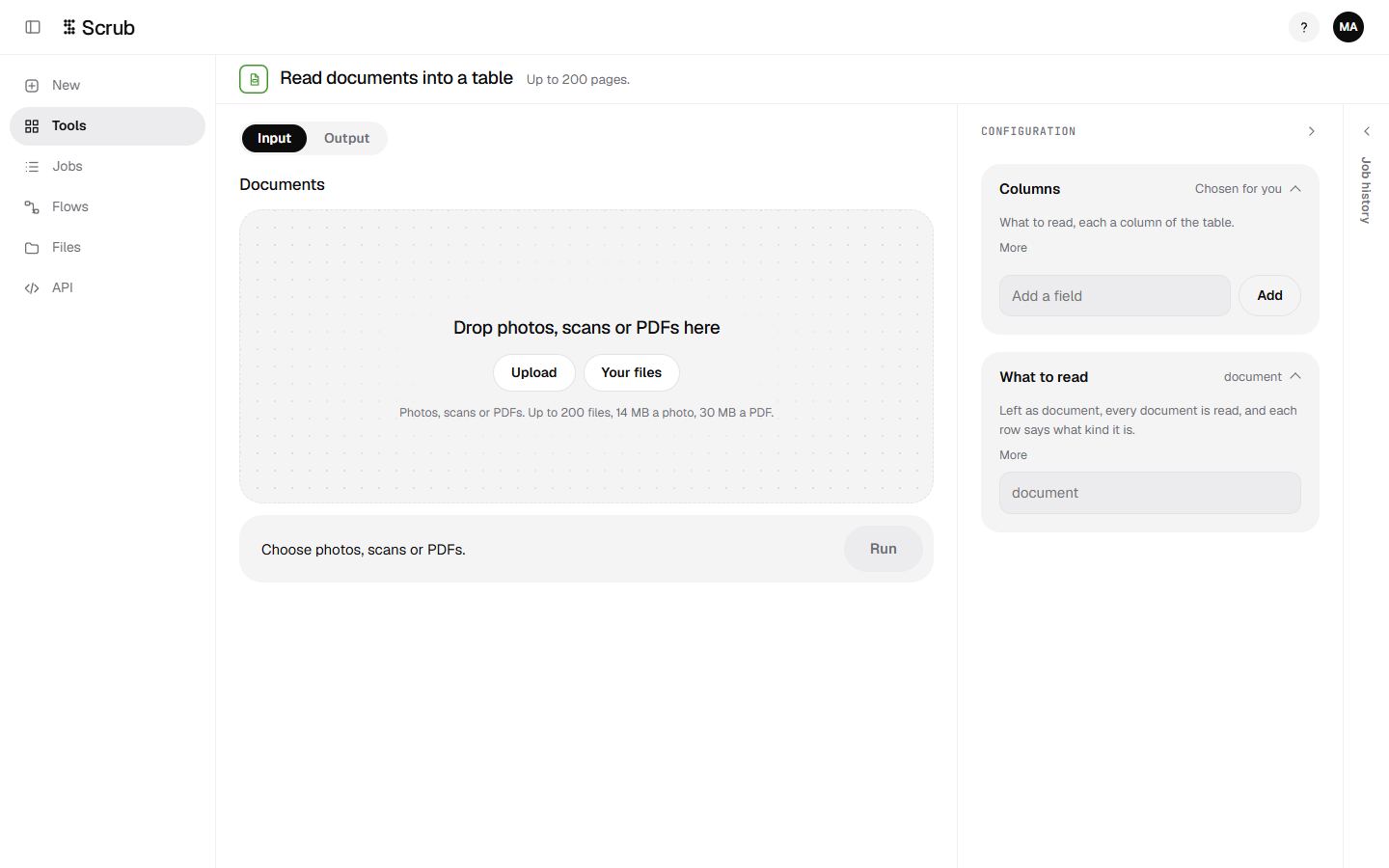
2Add a column and say what it means.
3Run, and correct a cell.
4Make a spreadsheet from Next.
Was this helpful? Tell us