Tool
Caption a video
Any video, captioned and ready to post.
Open in ScrubAbout Caption a video
From your code: POST /v1/tools/add_captions, in the API reference.
What it makes. Your video with its captions burned into the picture, ready to post anywhere, at most two lines and seven seconds a caption.
What you give it. The video, nothing else. Scrub writes down what is said with Transcribe a video, groups the words into captions with Convert a transcript, and draws them on with Burn captions into a video, as one job. If you already have a transcription of this video, give it and transcribing is skipped.
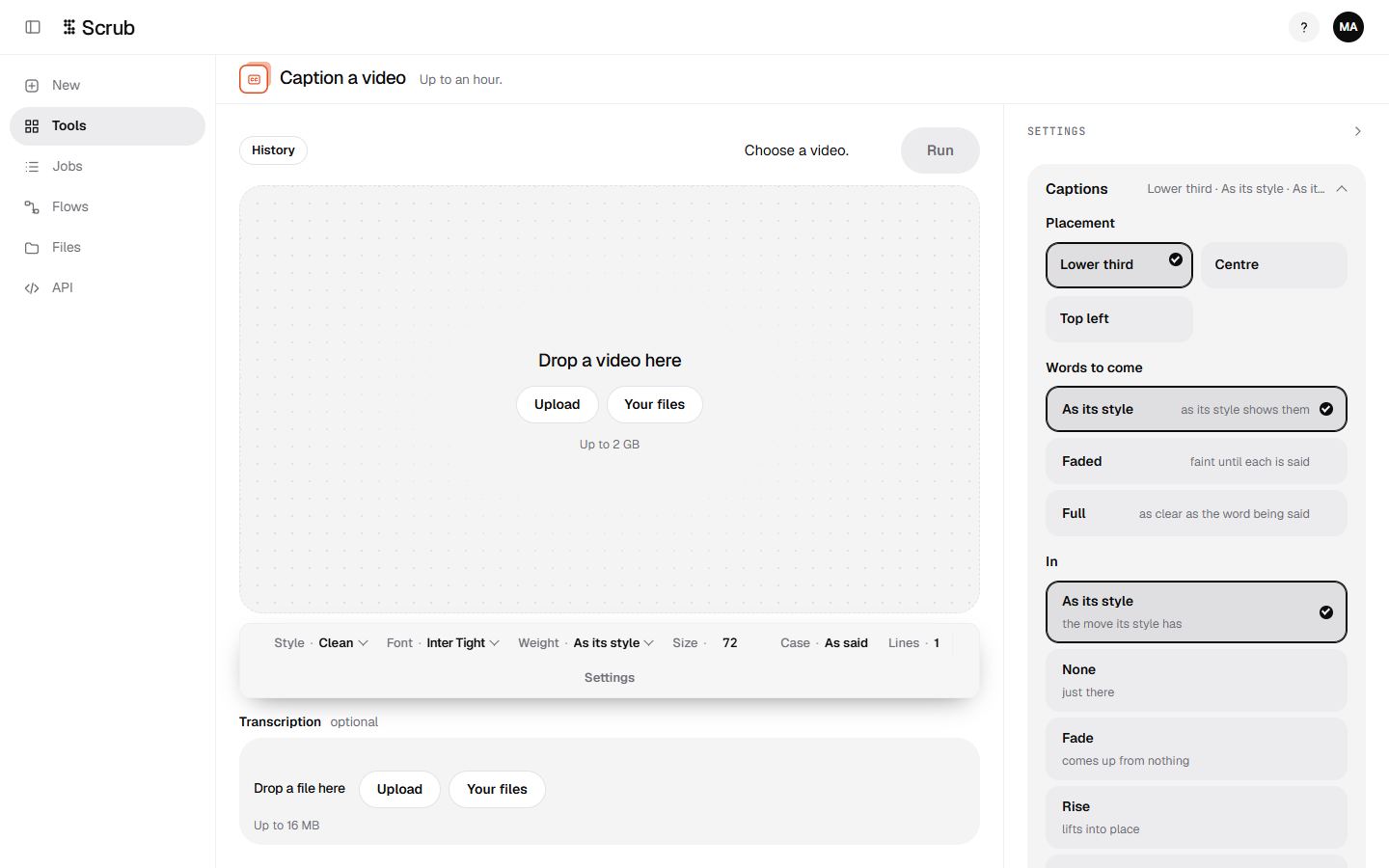
Settings worth knowing. On the Bar: Style, Font, Weight, Size, Case and Lines. In Settings: Words to come, In and Out. The stage shows every change at once, free.
- Placement. Drag the captions on the video: low, in the middle, or at the top left.
- Style. Clean, Pill, Box, Bold or Subtitles; the stage shows each as you choose it.
- Lines. One line or two; as many words show at once as fit.
- Case. As said, all capitals or all lower case.
What comes next. Compress a video to make it small enough to send; Convert a transcript for the subtitles as a file of their own.
Ask your AI. "Put captions on Tuesday's interview, in the pill style, at the bottom."
An example. A 50-second vertical clip of a chef plating a dish in a busy open kitchen. Pill, all capitals, one line, placed just above the platform's buttons. Downloaded as an MP4 and posted the same afternoon.
Step by step
Caption a video, styled your way
1Drop the video on the stage.
2Choose Pill on the Bar's Style.
3Drag the captions above the platform's buttons.
4Open Settings for Words to come, In and Out.
5Run, then change Case to all capitals; Run becomes Update.
6Download it.
Was this helpful? Tell us